---
title: "Applying a player for Next.js"
slug: "vpe-example-next"
updated: 2026-09-17T09:22:43Z
published: 2026-09-17T09:22:43Z
canonical: "guide.ncloud-docs.com/vpe-example-next"
stale: true
---
> ## Documentation Index
> Fetch the complete documentation index at: https://guide.ncloud-docs.com/llms.txt
> Use this file to discover all available pages before exploring further.
# Applying a player for Next.js
Available in Classic and VPC
Applying a player for Next.js describes the example for applying and setting a player with Video Player Enhancement Web SDK JS.
Note
To run the Next.js example, the following environment is required:
- Next.js version: 12.X or later
- React version: 17.X or later
## Understand features of Next.js
Make sure to consider the Next.js’ features before applying the Video Player Enhancement service. In Next.js version 13, you should use `"use client";` with a client component in the CSR manner since all components are server components. You can view how to make a client component in the official Next.js website. The official website clearly distinguishes when to use a server component from when to use a client component and guides you. See [Rendering: Server and Client Components | Next.js](https://beta.nextjs.org/docs/rendering/server-and-client-components).
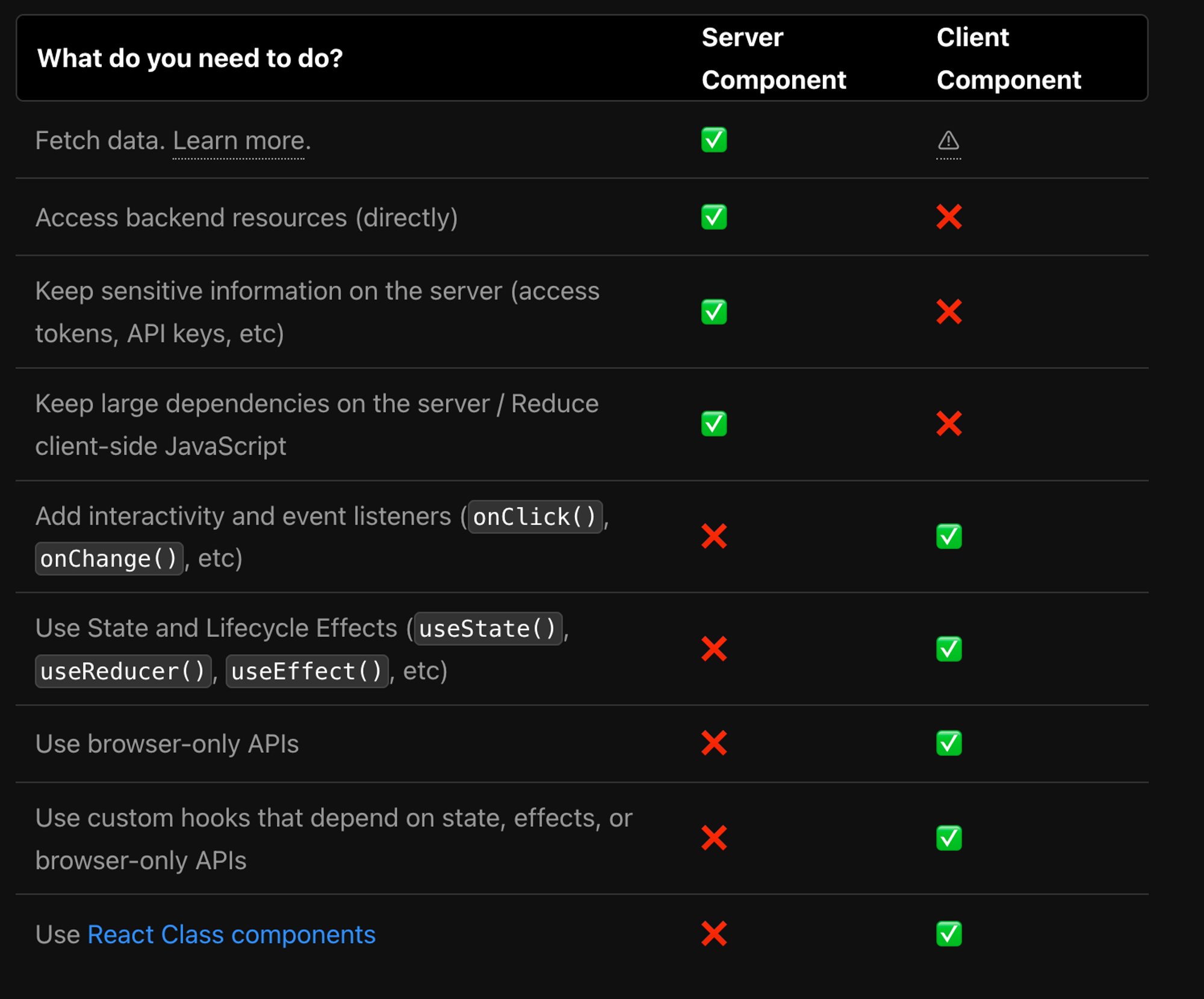
Note
You can use the features related to React after writing with a client component. When you enter `'use client'` in the first line of the Next.js file, the file is regarded as a client component.
## Load a script using function
In Next.js, you can apply the player by creating a client component and loading external scripts. `<Script>` tag to call the external script, and set the `strategy` attribute to ensure the script loads reliably after page rendering is complete. To execute a function when the script finishes loading, define it in the `onLoad()` attribute as shown in the following code.
`page.js` file
```
'use client'; // Treated as a client component
import Script from 'next/script' // Imported for use with the Script tag
const access_key = "VPE SDK Access Key"; // VPE license key issued
function createPlayer(id) {
let player = new ncplayer(id, {
"playlist": [
{
file:"https://m4qgahqg2249.edge.naverncp.com/hls/a4oif2oPHP-HlGGWOFm29A__/endpoint/sample/221027_NAVER_Cloud_intro_Long_ver_AVC_,FHD_2Pass_30fps,HD_2Pass_30fps,SD_2Pass_30fps,.mp4.smil/master.m3u8",
poster:"https://2ardrvaj2252.edge.naverncp.com/endpoint/sample/221027_NAVER_Cloud_intro_Long_ver_01.jpg",
description:{
"title":"NAVER Cloud test video",
"created_at":"Wed Jul 13 2022 00:00:00 GMT+0900 (KST)",
"profile_name":"NAVER Cloud",
"profile_image":"https://player.vpe.naverncp.com/images/d127c8db642716d84b3201f1d152e52a.png"
},
}
],
// options...
});
}
export default function DemoPlayer() {
return (
<>
)
}
```